Mobile gaming does not always mean another app. Many HTML5 games already adapt to phones and tablets through the browser. That is useful when storage is low, you are on a borrowed device, or you simply want to try something without visiting an app store.
This guide highlights mobile-friendly browser games that are realistic to play with thumbs, not only on a desktop keyboard. You can open them on Playbyt in mobile Chrome, Safari, and similar browsers.
What makes a browser game mobile-friendly?
- Touch-first controls — taps, swipes, or large on-screen buttons.
- Readable UI — scores and buttons remain usable on smaller screens.
- Portrait or comfortable landscape support.
- Short rounds — easier to play on transit or between tasks.
- Stable performance on mid-range phones over cellular or Wi‑Fi.
Some games are marked desktop-oriented in catalogs for a reason. For mobile sessions, prefer titles that do not depend on precise right-click or complex key combinations.
Best touch-friendly casual games
Road Hopper
Road Hopper uses simple directional hops and is not marked desktop-only in the catalog. On a phone, one-step movement usually maps cleanly to taps.
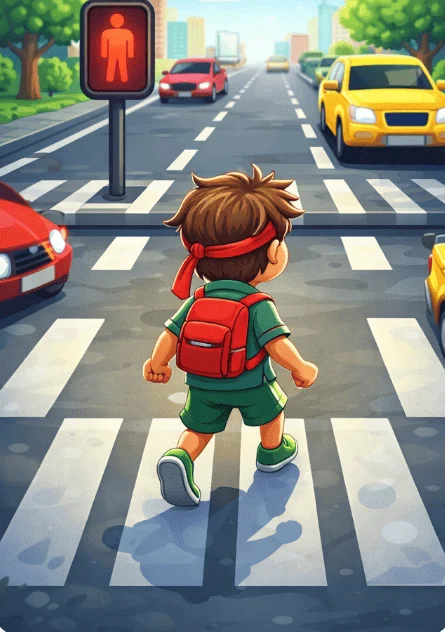
Mobile tip: try landscape if you want a wider view of approaching traffic.
House Tower
House Tower is almost perfect for mobile: one tap drops a floor. Timing travels well to touchscreens.
Doodle Hopper
Doodle Hopper traditionally uses tilting or side movement. On browsers, follow on-screen control hints and keep corrections small.
Snake Classic
Snake Classic works when swipe or button controls are responsive. It remains one of the cleanest mobile browser experiences.
Best mobile puzzle games
2Combo
2Combo uses swipe directions that feel natural on phones. Boards fit short commuting sessions.
Gem Memory
Gem Memory is tap-to-flip simplicity. It is easy on the eyes in portrait mode.
Zen Leap 3D
Zen Leap 3D centers on hold-and-release timing. Touch long-press controls are intuitive once you try a couple jumps.
Screw Puzzle
Screw Puzzle benefits from direct tapping on screws and parts. Complex desktop shortcuts are unnecessary.
Action and racing on mobile browsers
Traffic Racer
Traffic Racer is not marked desktop-only, so it can open in mobile browsers. Endless highway driving still feels easier on a larger screen; use landscape and expect a different feel than keyboard play.
Ballon Bluster
Ballon Bluster is tap-accuracy friendly. It is a strong “one more round” mobile time-killer.
Count Master 3D
Count Master 3D uses familiar mobile-runner style pacing that many phone players already understand.
Mobile multiplayer: what to expect
Multiplayer on phones is most reliable for simpler join flows:
- Tic Tac Toe — excellent cross-device duels.
- Hangman 2 — typing words is fine on mobile keyboards.
- Smash Karts — fun with friends, but test controls before a long session.
- Mystery Word — event-style play that does not require a store app.
For heavier shooters, a desktop browser often still feels better. That is preference, not a hard rule.
Practical mobile browser settings
- Allow the site to use enough data on Wi‑Fi for first-time asset loads.
- Switch off low data modes if textures fail to appear.
- Add Playbyt to your home screen for faster return visits if you like.
- Keep one game tab open instead of many background game tabs.
New to browser gaming overall? Start with casual games for beginners. Want the no-install method explained clearly? Read how to play browser games without installing apps.
Battery, heat, and comfort
3D browser games can warm a phone quickly. Lower brightness, remove a thick case during long sessions if needed, and take breaks. Casual puzzles are kinder to battery life than continuous racing. If your device throttles, switch to a lighter title rather than forcing a stuttering shooter.
A sample mobile evening playlist
- Warm up with House Tower for five minutes.
- Play one 2Combo board while waiting for food or transit.
- Finish with a Tic Tac Toe duel if a friend is online.
That sequence stays touch-friendly and avoids dumping you into a long match you cannot pause when your stop arrives.
FAQ
Do these replace app-store games?
They complement them. App games can use deeper device features; browser games win when you want zero install friction.
Why does a game look tiny on my phone?
Try rotating the device, using fullscreen if offered, or zooming carefully. Some UIs are still optimized more for desktop widths.
Are all Playbyt games mobile-friendly?
Not every title is equally optimized. Prefer casual and puzzle picks for phones, and treat complex desktop ports as optional.
Should I use mobile data?
Wi‑Fi is better for first loads. After assets cache, lighter games are usually fine on data, but watch your plan limits.
Conclusion
Mobile-friendly browser games give you free play without filling storage. Road Hopper, House Tower, 2Combo, Gem Memory, and other Playbyt titles prove that a phone browser can handle real sessions. Open a tab, turn it landscape when needed, and play on your schedule.