Racing games usually mean large downloads, controller setups, and long menus. Browser racing is different: you open a tab, learn the feel in one lap or one stretch of road, and chase a better distance or placement. This roundup sticks to free titles you can reach from Playbyt’s catalog — with honest notes on controls and multiplayer.
What “racing” means in the browser
Browser driving games fall into a few useful buckets:
- Endless highway runners — survive traffic and stretch your distance.
- Kart / arena racers — shorter tracks, bumping, and public rooms.
- Drift and handling challenges — style and control over pure top speed.
- Grid path drivers — precision steering on constrained roads.
Knowing the bucket helps you pick a five-minute warm-up versus a louder friend session.
Smash Karts — multiplayer kart energy
Smash Karts is the social pick: online kart racing with public rooms and room codes. It is the right choice when friends can join at the same time. The catalog flags it as desktop-oriented, so treat phones as a maybe, not a promise.
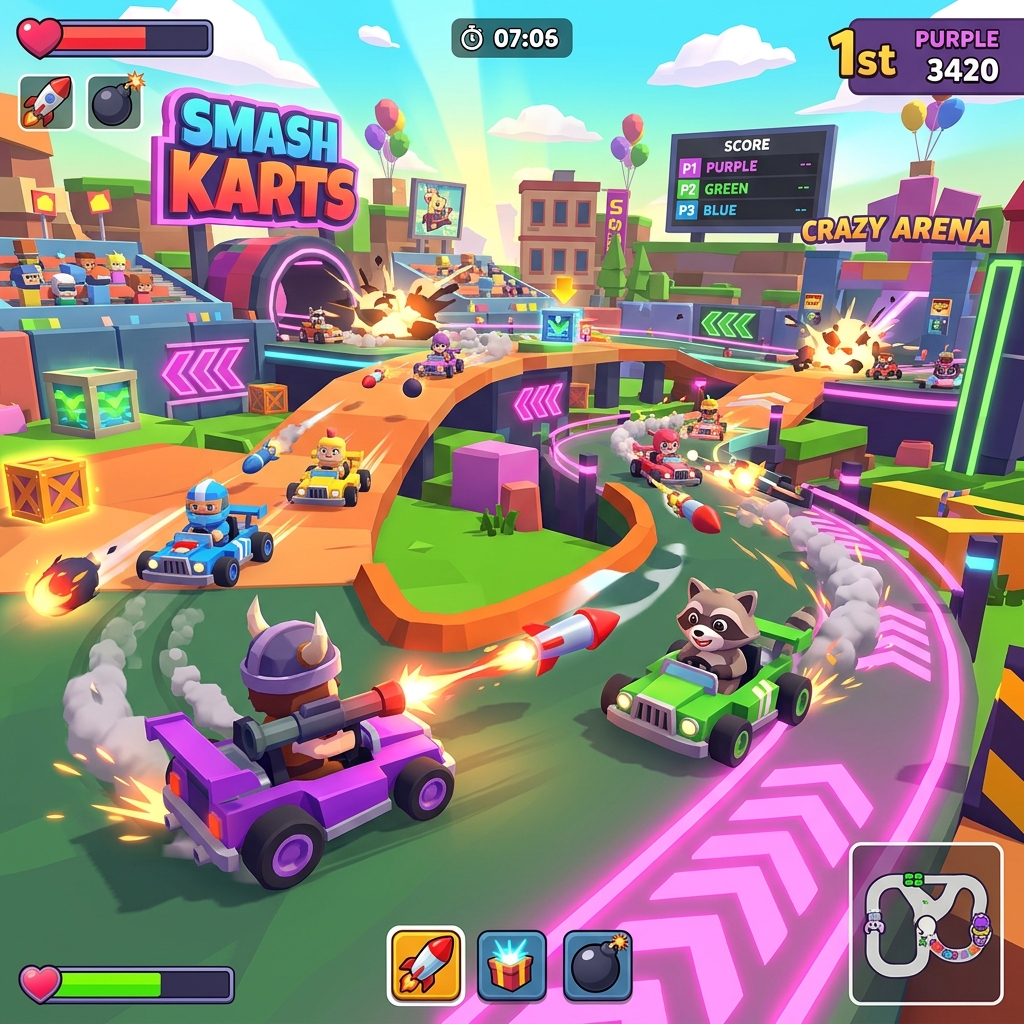
Best for: planned races with friends. Not ideal for: silent solo practice on a tiny phone screen.
Traffic Racer — endless highway focus
Traffic Racer puts you on an endless highway: change lanes, dodge dense traffic, and push for a new distance record. Sessions scale naturally — crash early or settle into a long concentration run.
Best for: solo high-score chasing. Tip: landscape mode helps if you try it on a larger phone or tablet.
Drift Zone and Sand Drift — style over straight lines
Drift Zone emphasizes sliding control. Sand Drift leans into desert-track drifting. Neither needs a story mode to be worthwhile; the fun is learning when to ease off so you do not spin out.
If you bounce between them, keep notes on which control scheme felt clearer on your device — browser racers vary more than console racers in input feel.
Endless Racer and Zigzag Drive — alternate pacing
Endless Racer fits the classic keep-moving browser mold. Zigzag Drive challenges you on an elevated desert grid with sharp 90-degree turns — more precision pathing than open highway drafting.
Use Zigzag Drive when you want a “one more attempt” loop. Use endless highway titles when you want a longer flow state.
How to practice without burning out
- Warm up with a low-stakes endless run before multiplayer karts.
- Limit Smash Karts to a fixed number of races so lobbies do not eat the evening.
- After three angry restarts, switch games. Frustration is a signal, not a badge.
- If frames drop, close background tabs before blaming the track.
Controls and device tips
- Keyboard arrow or WASD layouts are usually clearer for highway games.
- On touch devices, confirm the on-screen controls before a friend race.
- Wired mice can feel more consistent than touchpads for quick lane changes.
- Fullscreen (when available) reduces accidental clicks on browser chrome.
Building a free racing playlist
- Traffic Racer — ten minutes solo focus.
- Drift Zone or Sand Drift — five minutes of handling practice.
- Smash Karts — two or three friend races if the group is online.
That playlist covers concentration, skill, and social play without requiring a store install.
Prefer a broader free list? See best free online browser games in 2026. For mobile constraints, read mobile-friendly browser games.
Reading traffic and tracks like a system
Highway runners reward scanning two lanes ahead, not staring at your bumper. Drift games reward throttle discipline. Kart arenas reward spawn awareness and not over-committing to a bad line because a friend is watching.
Pick one focus per session:
- Traffic Racer — “zero panic lane changes” for ten minutes.
- Drift titles — “finish three clean slides without wall taps.”
- Smash Karts — “two races, then stop,” so lobbies do not consume the night.
Accessibility and comfort while driving in-browser
Lower motion blur feelings by reducing surrounding distractions, sit at a comfortable distance from the screen, and take breaks if you feel eye strain. Racing games can be intense; they are optional entertainment, not an obligation.
FAQ
Do these racing games need a controller?
No. Keyboard and touch are the default. Controllers may work in some browsers, but do not plan a night around that until you test.
Are browser racers fair competitively?
Friend races are fair enough for fun. Treat public lobbies as casual; network conditions vary.
Why did a racer stutter on my laptop?
Thermal throttling, too many tabs, or a busy GPU from other apps. Our lag guide covers fixes: how to fix laggy browser games.
Conclusion
Free browser racing is strongest when you match the mode to the night: Smash Karts for friends, Traffic Racer for solo distance, drift games for control practice. Open the tab, learn the feel once, and chase a cleaner run — no pit stop at the download store required.