“HTML5 browser game” sounds like marketing jargon. Underneath the label is a simple idea: the game runs inside your web browser using modern web technologies, so you click a link instead of installing a separate client. This article explains what that means in plain language — and what it does not mean.
The short definition
HTML5 browser gaming means interactive games delivered through web pages. Your browser downloads the game’s code and assets (graphics, sound, scripts) and runs them locally in a secure sandbox. You still need a network for the first load and for online multiplayer, but you typically do not install a store package.
Platforms like Playbyt collect many such games so you can browse a catalog and open titles such as Zen Leap 3D, 2Combo, or Tic Tac Toe in a tab.
How this differs from old Flash games
Older web games often relied on Adobe Flash, a plugin browsers have retired for security and performance reasons. HTML5-era games use standards browsers already include. You should not need a legacy plugin to play mainstream browser titles in 2026.
If a site still demands ancient plugins, treat that as a compatibility warning.
Where WebGL and JavaScript fit
- HTML/CSS structure the page and sometimes simple interfaces.
- JavaScript runs game logic — scoring, input, menus.
- WebGL / Canvas draw richer 2D/3D graphics efficiently.
- Audio APIs handle sound effects and music.
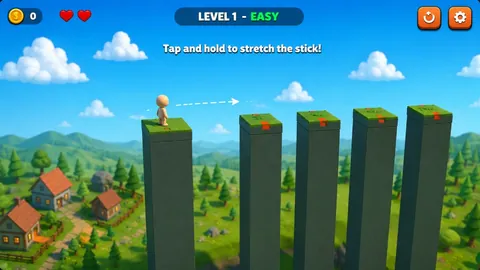
You do not need to know these details to play. They explain why some games look flat and light while others feel closer to downloadable 3D — for example Immersive MAZE versus a minimal snake game.
What you gain
- Fast tryouts across genres without filling a disk.
- Easier friend invites via links and room codes.
- Updates that appear when the page reloads.
- Play on devices where installs are restricted (subject to local rules).
What you should not expect
- Every browser title to match a $70 console campaign in scope.
- Identical performance on a phone and a gaming laptop.
- Offline perfection for every game (many still need initial asset loads).
- Zero privacy considerations — web platforms still have policies and ads.
For a balanced comparison with installs, read browser games vs downloaded games.
How a typical Playbyt session works
- You open the catalog and pick a game page.
- The browser loads the game files.
- You play with keyboard, mouse, or touch controls.
- Optional account features may save identity or progress depending on the title.
- Multiplayer titles may create rooms or join lobbies over the internet.
Safety basics (beginner version)
Stay on reputable sites, prefer HTTPS, avoid mystery executable downloads, and read Privacy / Terms when you create accounts. More detail lives in browser gaming privacy tips.
Getting started today
- Open a lightweight casual game such as House Tower or Snake Classic.
- If it feels smooth, try a puzzle like Cube Drop.
- When you want social play, graduate to room-code games in the friends multiplayer guide.
Also useful: how to play without installing and best free browser games in 2026.
Why publishers like the browser
Distribution is simpler: update the hosted files and players receive the new build on refresh. Discovery can happen through links and catalogs without forcing a store ranking battle first. That does not make every browser game successful — it simply changes the shipping path.
Limitations developers still fight
- Memory caps and mobile GPU differences.
- Input APIs that vary across devices.
- Unreliable assumptions about storage and autoplay audio.
- Need to handle flaky networks gracefully.
When a game feels rough, it may be a platform constraint rather than a personal device failure. Trying a second title is a valid test.
What “free” usually funds
Bandwidth, servers, moderation, and development time are not free. Ads, optional accounts, or publisher partnerships often fund catalogs. Reading policies and using reputable sites is part of being a literate player in this ecosystem.
How to talk about browser games without confusion
Say “browser game” when you mean instant play in a tab. Say “downloadable” or “installed” when a launcher is required. Say “mobile app” when a store install is required. Clear language prevents friends from showing up without the right setup — or with the wrong expectations about graphics and offline play.
HTML5 is the technology family behind many modern browser games; players rarely need to say it out loud unless they are comparing eras with Flash.
FAQ
Is HTML5 a genre?
No. It is a delivery technology. Genres (puzzle, racer, shooter) sit on top.
Do HTML5 games work offline?
Sometimes after caching, often not for the first visit or for multiplayer. Assume you need connectivity unless a game explicitly supports offline.
Why do people still say “Flash games”?
Habit. Many mean “quick web games” even though the plugin era ended.
Conclusion
HTML5 browser gaming is not a gimmick label — it is the modern way games hitch a ride inside the browser you already use. Learn the limits, keep basic safety habits, and you can treat a catalog like Playbyt as a flexible library rather than a mysterious tech buzzword.